Automation Without Limits
Enterprise-grade Roblox infrastructure management. Run hundreds of instances with zero detection, powered by pure ADB architecture.
Up and Running in 3 Steps
From download to full automation in under 5 minutes
Download
Get M AUTO from our Discord server. One-click installer, no dependencies required.
Configure
Add your cookies and set your Place IDs. The intuitive UI makes setup effortless.
Launch
Hit Start and watch your farm run 24/7. Auto-rejoin handles everything else.
Built for Scale
Every feature engineered for maximum efficiency and complete anonymity
24/7 Uptime, Zero Babysitting
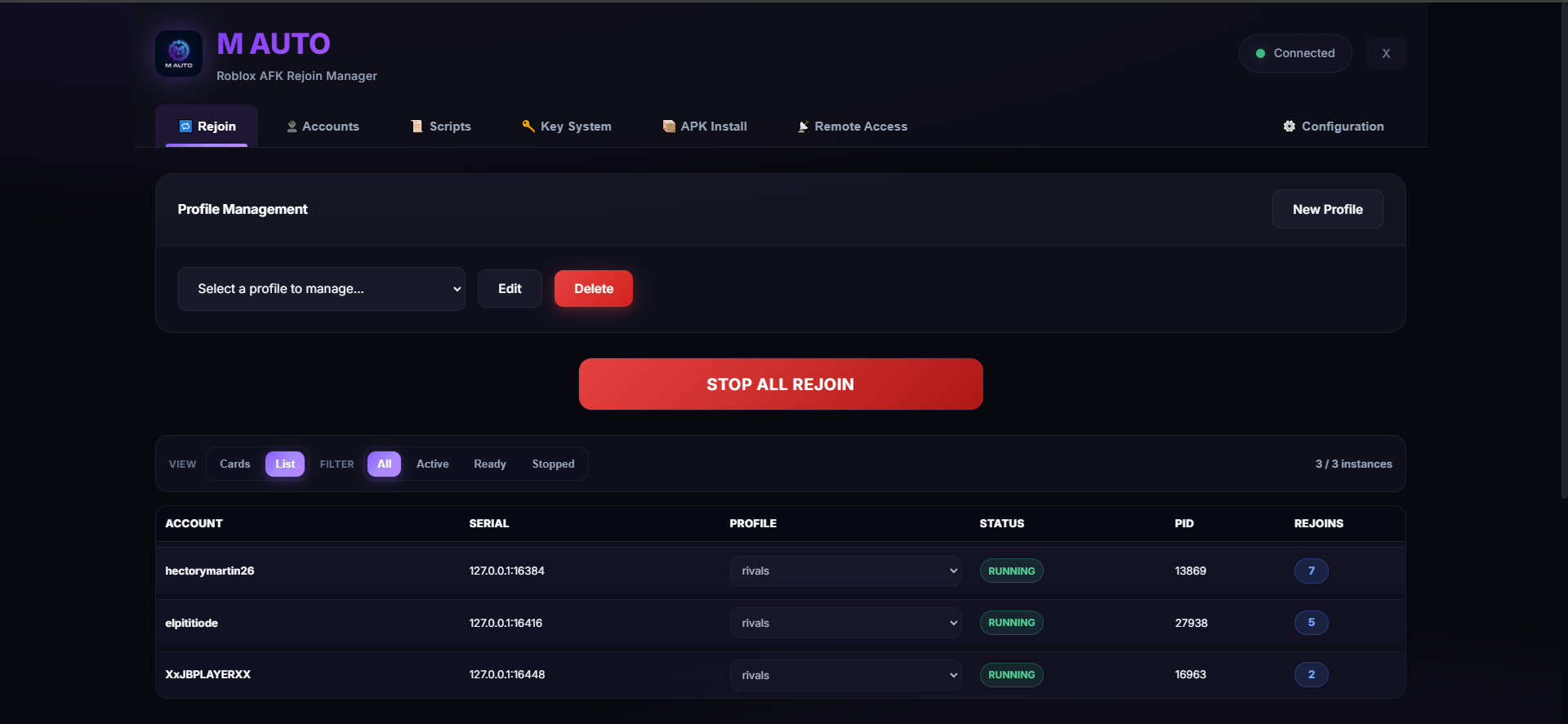
The core of AFK stability. M AUTO monitors your running instances and brings them back when they drop, crash, or stop progressing — so you never have to babysit your farm.
Profile System
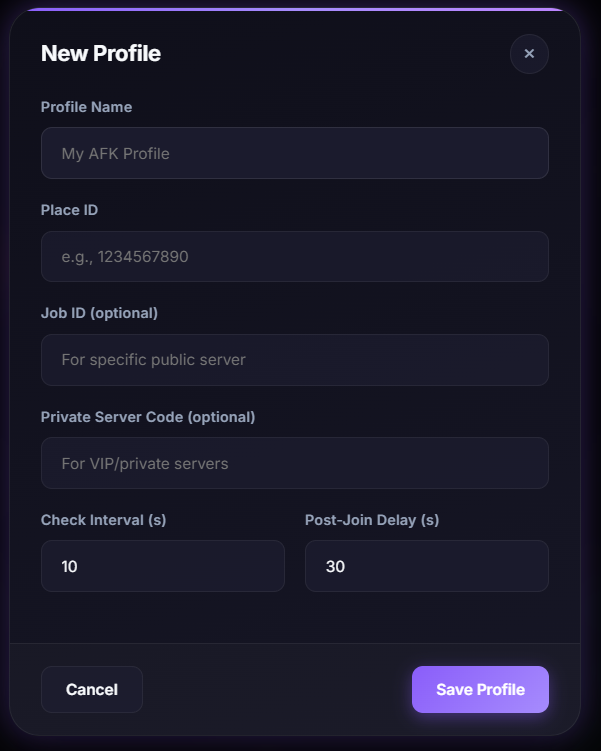
Create rejoin profiles for different games — set Place ID, Private Server Code, Job ID, check intervals, and post-join delay.
Live Dashboard
Visual status of every instance: account, serial, profile assignment, health status, PID, and rejoin counter — all in real-time.
Activity Logs
Scrollable log of every rejoin action, crash detection, and recovery attempt — full visibility into what's happening.
Mass Account Operations, Simplified
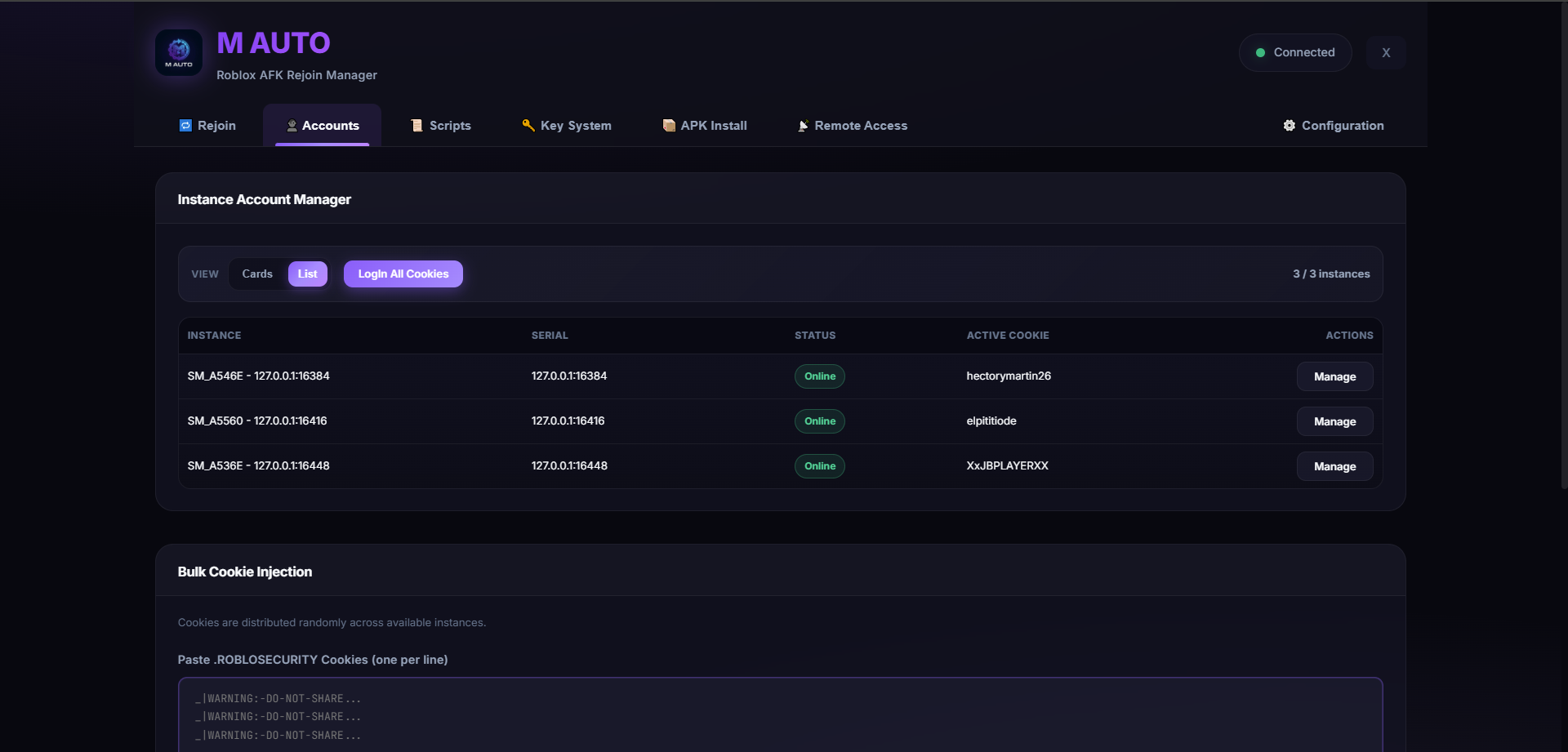
Your account operations center. Handle multiple Roblox accounts in a clean, scalable way without repetitive manual login work.
Bulk Cookie Injection
Paste .ROBLOSECURITY cookies, distribute across instances automatically. Counters show cookies loaded and available instances.
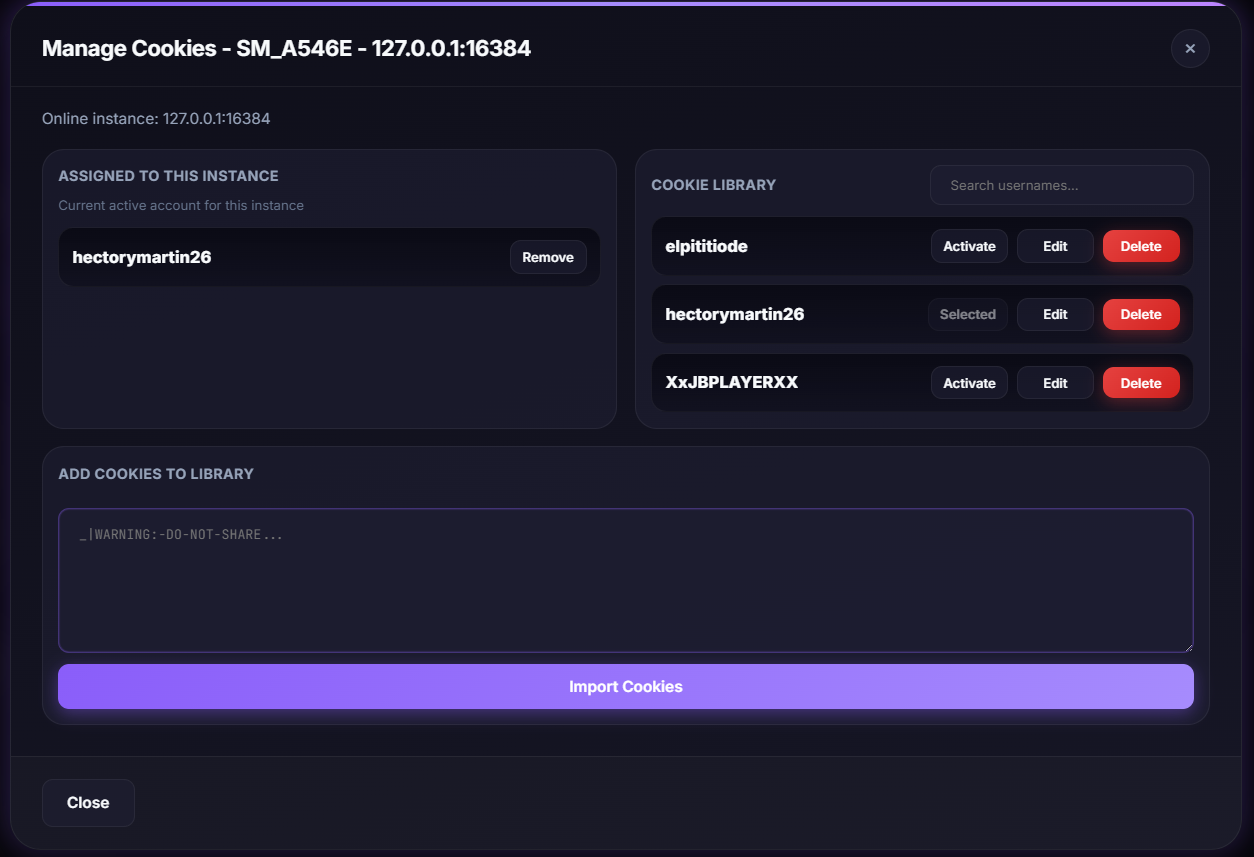
Cookie Library
Save, search, edit, activate, and delete cookies. Persistent vault across sessions with per-account management.
Instance Assignment
Per-instance account management. See which account is on which emulator at a glance with fast re-login actions.
Centralized Script Deployment
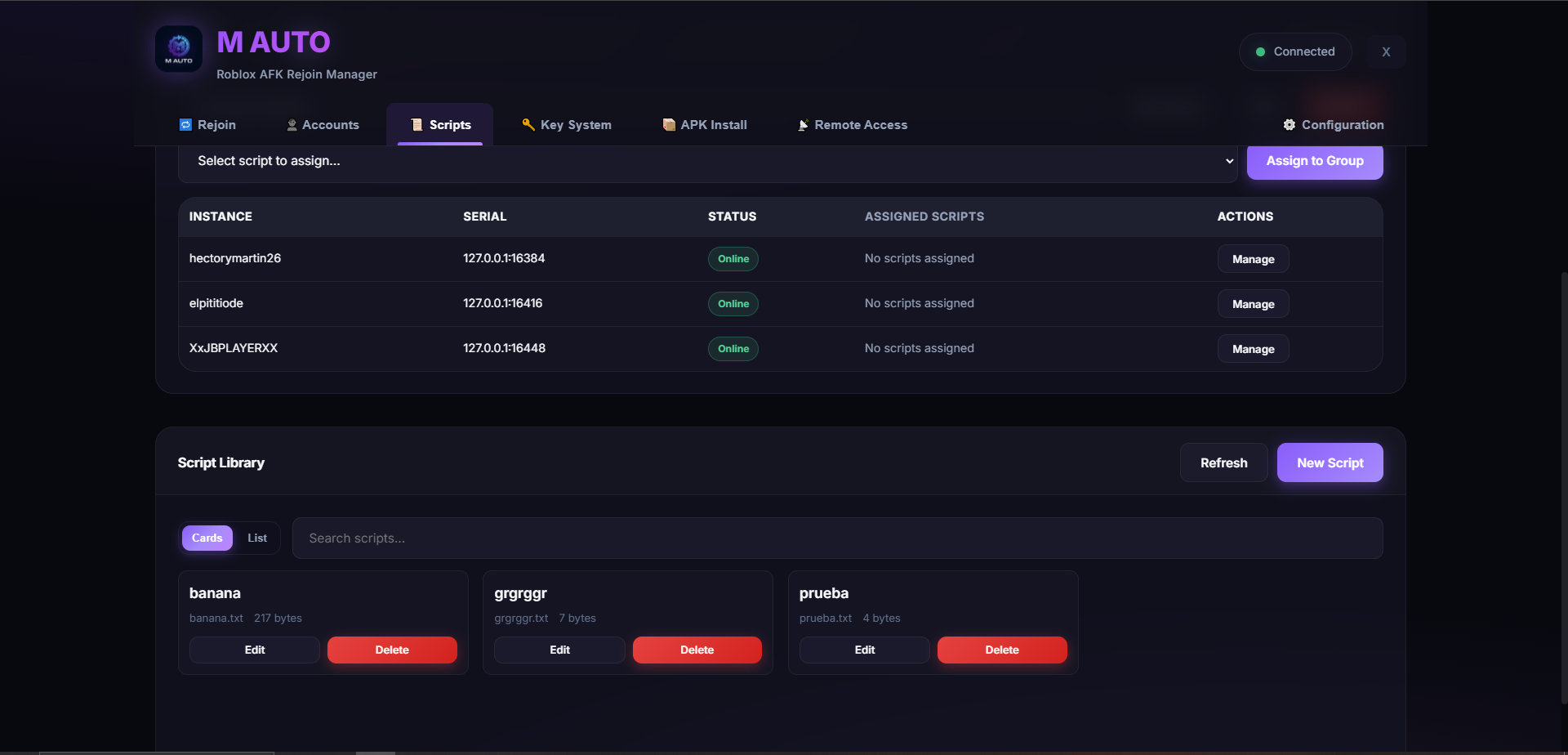
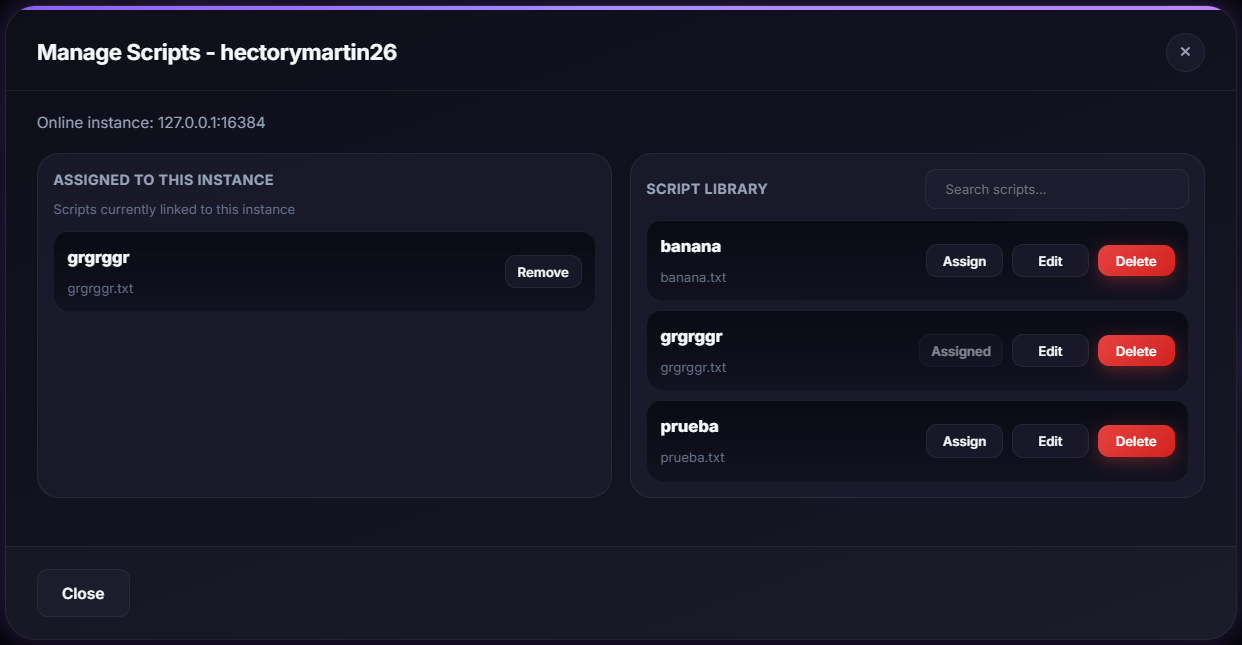
Your automation content manager. Centralize how you handle scripts across instances — deploy and maintain them without messy file juggling.
Folder Configuration
Set your autoexecute folder path. Browse the emulator's file system directly via ADB — no manual file transfers.
Script Library
Cards or List view with search. Create, edit, delete scripts directly from the dashboard — visible file sizes and metadata.
Groups & Assignment
Create instance groups, batch-assign scripts. Per-instance management modal with library search for scaled deployment.
Keys Handled, Sessions Uninterrupted
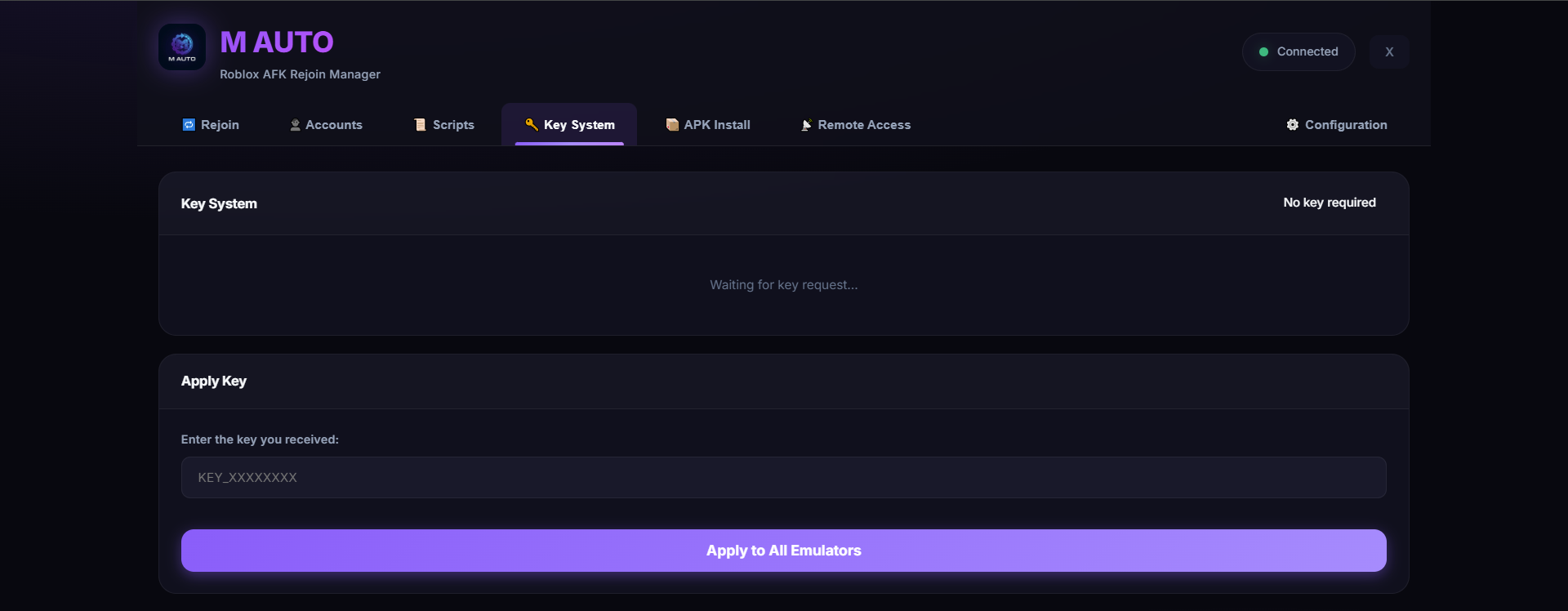
For uninterrupted execution when key gates appear. Reduces friction from key-based steps so your routine can continue with minimal manual intervention.
Auto-Detection
Smart screen detection recognizes when the key prompt appears on any emulator, so no session gets stuck.
One-Click Apply
Enter your key once, apply to all emulators simultaneously. No per-instance manual input.
Activity Tracking
Key request awareness and status visibility. Know when it was last updated and which instances need attention.
Fleet-Wide Updates in Seconds
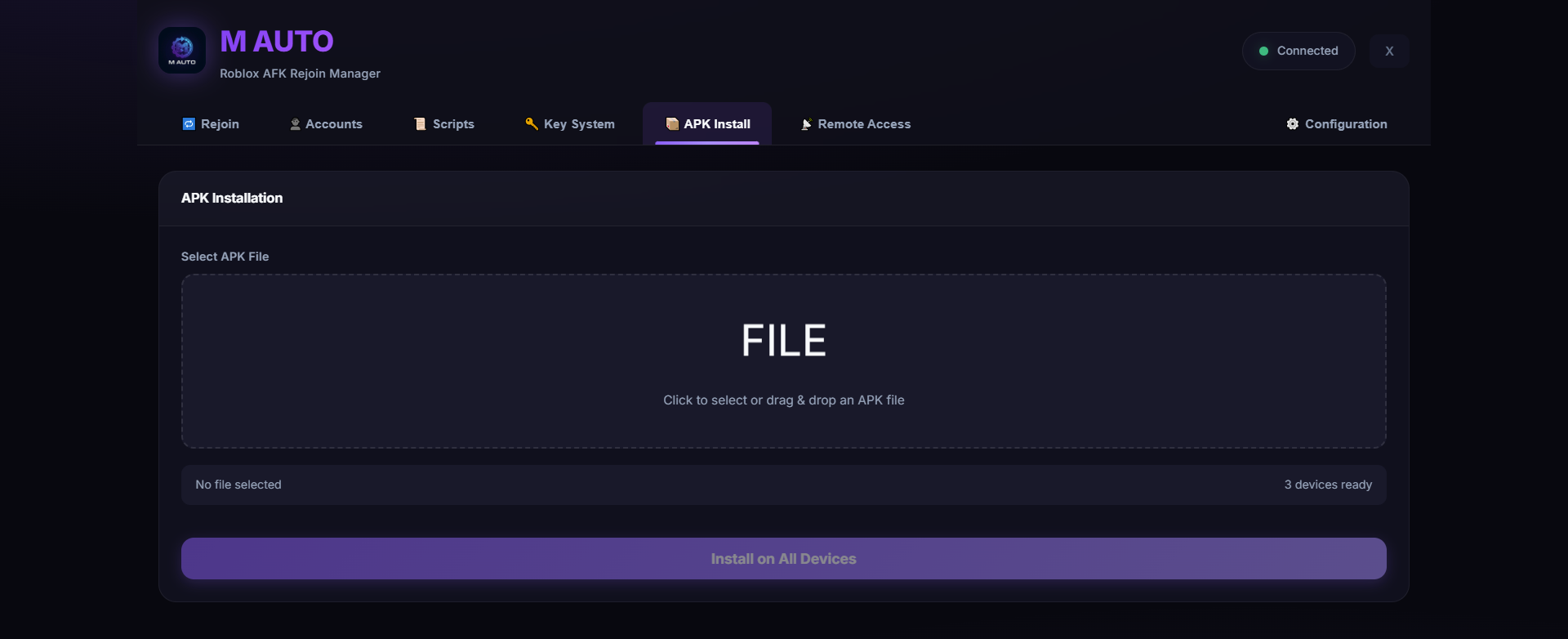
Your deployment tool for app updates. Push APKs across your entire emulator fleet from one place — no more updating 50 devices manually.
Drag & Drop
Select or drag your APK file into the upload zone. Built-in validation ensures the file is ready before install.
One-to-Many
Multi-threaded concurrent installation across all detected devices. Even with 20+ emulators, it only takes seconds.
Progress Tracking
Device-level success and error visibility with live result feedback — know exactly what installed where.
Control From Anywhere
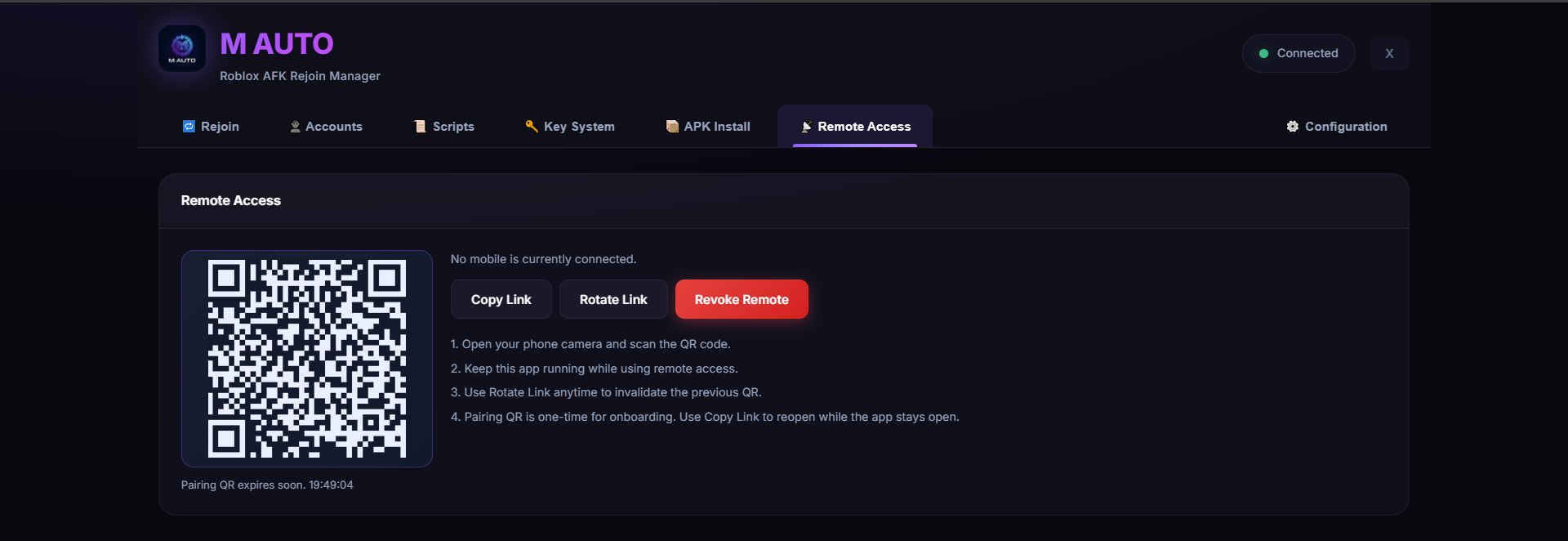
Designed for secure, practical mobile access. Monitor and manage your setup remotely from your phone or any other device — whenever you need to check in.
QR Pairing
Scan with your phone camera to instantly pair. One-time secure onboarding — no apps or installs needed.
Link Management
Copy the remote link, rotate to invalidate old sessions, or revoke remote access entirely — full control.
Session Security
Expiring QR codes, session rotation, and instant revoke controls for complete safety of your remote sessions.
Traditional vs M AUTO Workflow
A practical side-by-side view for multi-instance operations.
Impact varies by hardware, emulator tuning, and account workflow quality.
Frequently Asked
Yes. M AUTO operates 100% externally through ADB commands — the same technology developers use daily. Zero code is injected into Roblox, making it completely invisible to anti-cheat systems.
We officially support LDPlayer, MuMu Player, BlueStacks 5, and Nox. Any Android emulator with ADB support will work with M AUTO.
Absolutely. Just provide the Place ID and M AUTO handles the rest. Works with Anime Defenders, Pet Simulator 99, Blox Fruits, Rivals, and any other game on the platform.
Purchase M AUTO through our store for €15 (lifetime, one-time payment), then join our Discord for download access and support. After purchase, open a ticket with your Order ID to verify and receive your license.
Ready to Scale?
Join thousands of users automating their Roblox operations with M AUTO